Hourly
 Keep clients and notes close
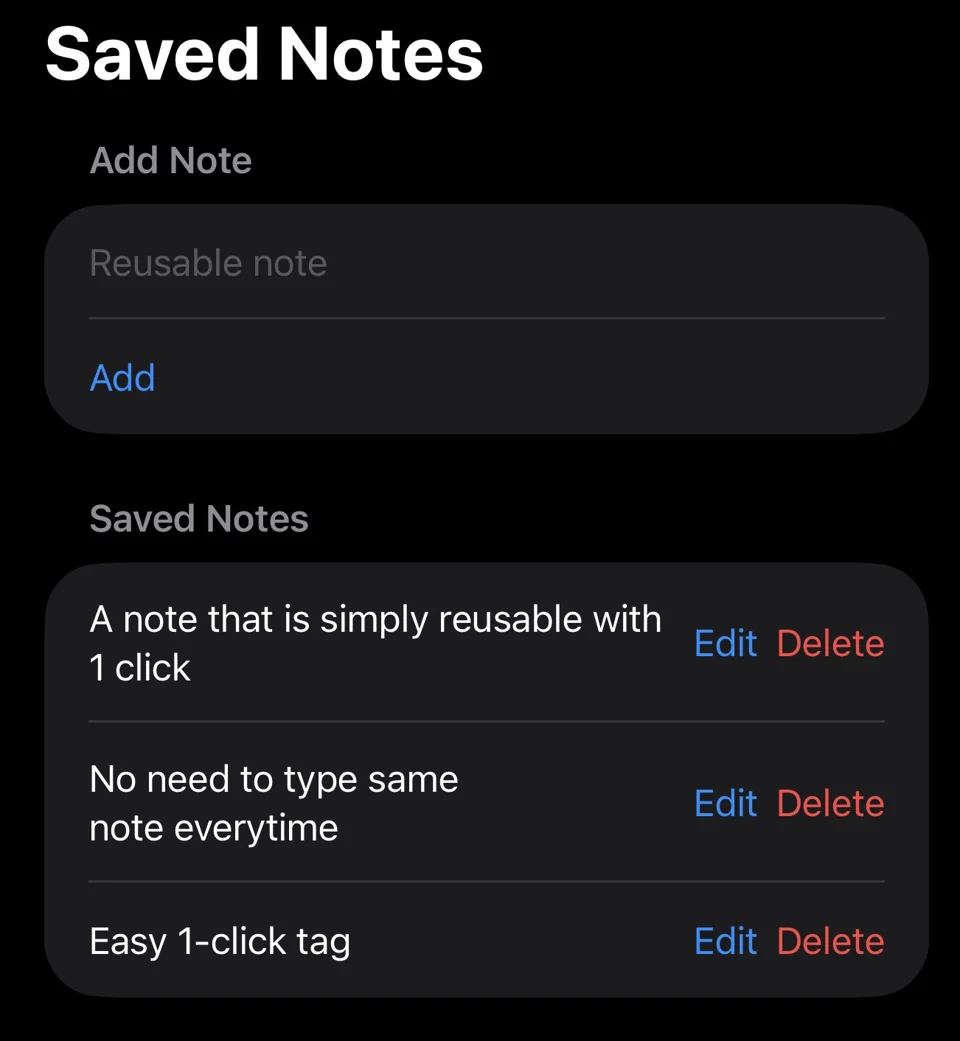
Save clients for repeat work and attach a client and note to each entry. Reusable notes keep recurring descriptions ready. Client names also help filter exports and understand totals.
Start with a familiar shift
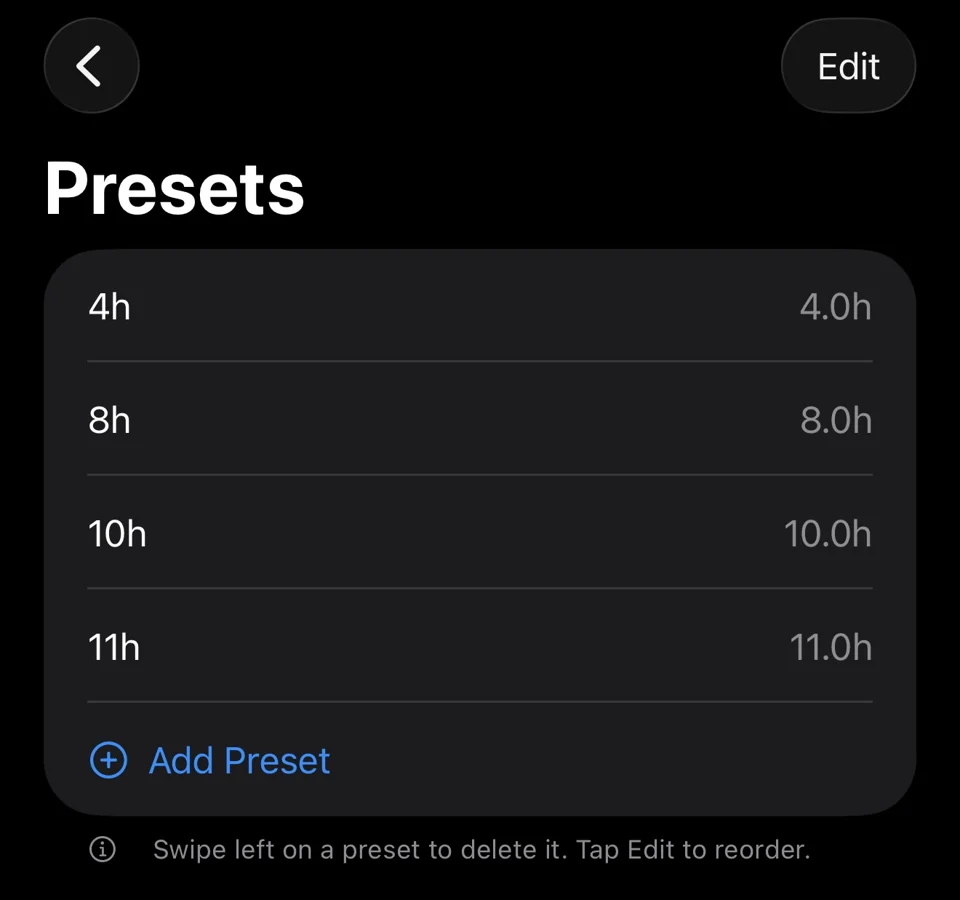
Presets save common durations for quick logging. Choose a preset or enter custom hours and minutes. A default start time can give preset entries a start and end time. Review the entry and its calculation before saving.
Notes and repeat workdays
Reusable notes keep recurring descriptions available without retyping them. Saved notes can be added, edited and deleted; empty or duplicate notes are checked.
Repeat a previous workday on another date, with the option to copy its notes. The repeated work becomes a new entry, with its times moved to the selected day. Review it before saving.
What happens to existing entries?
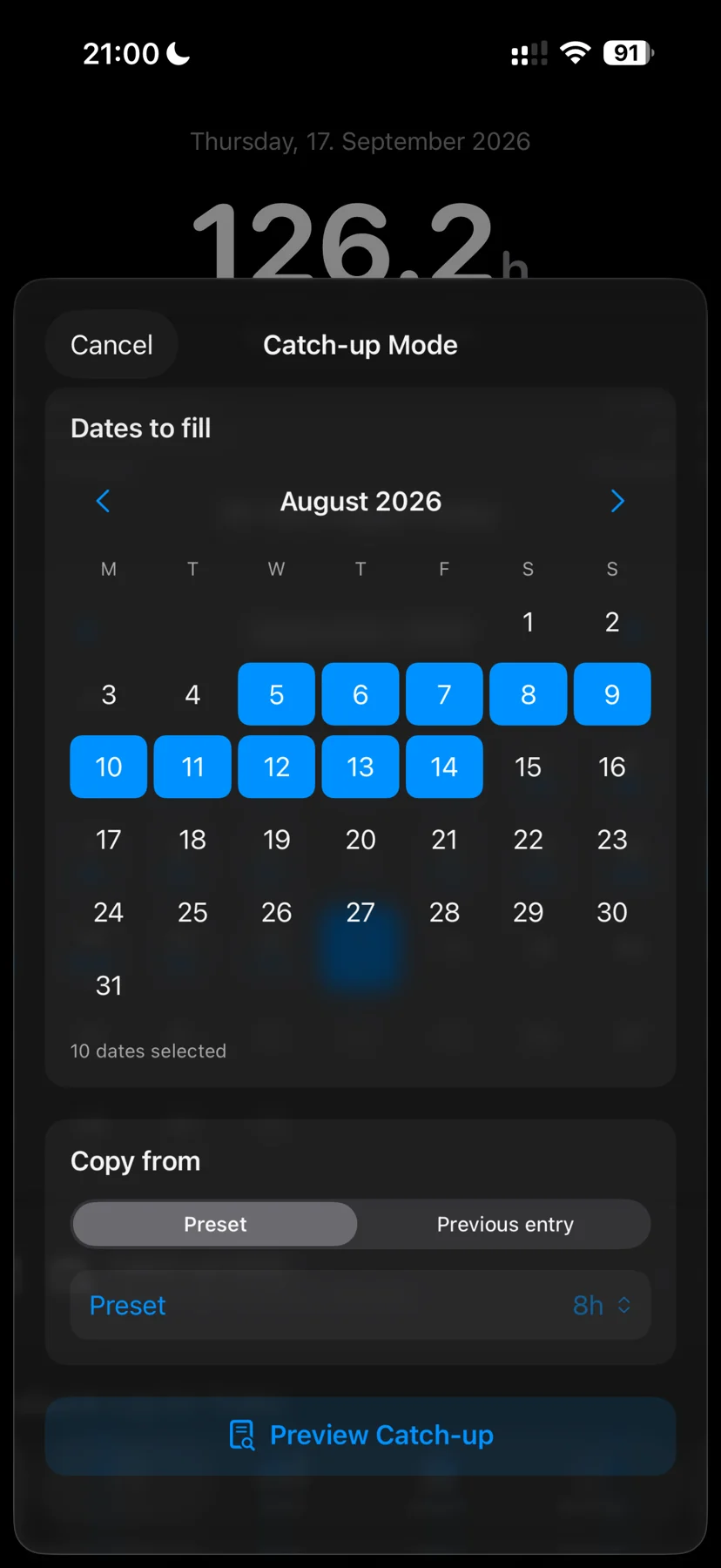
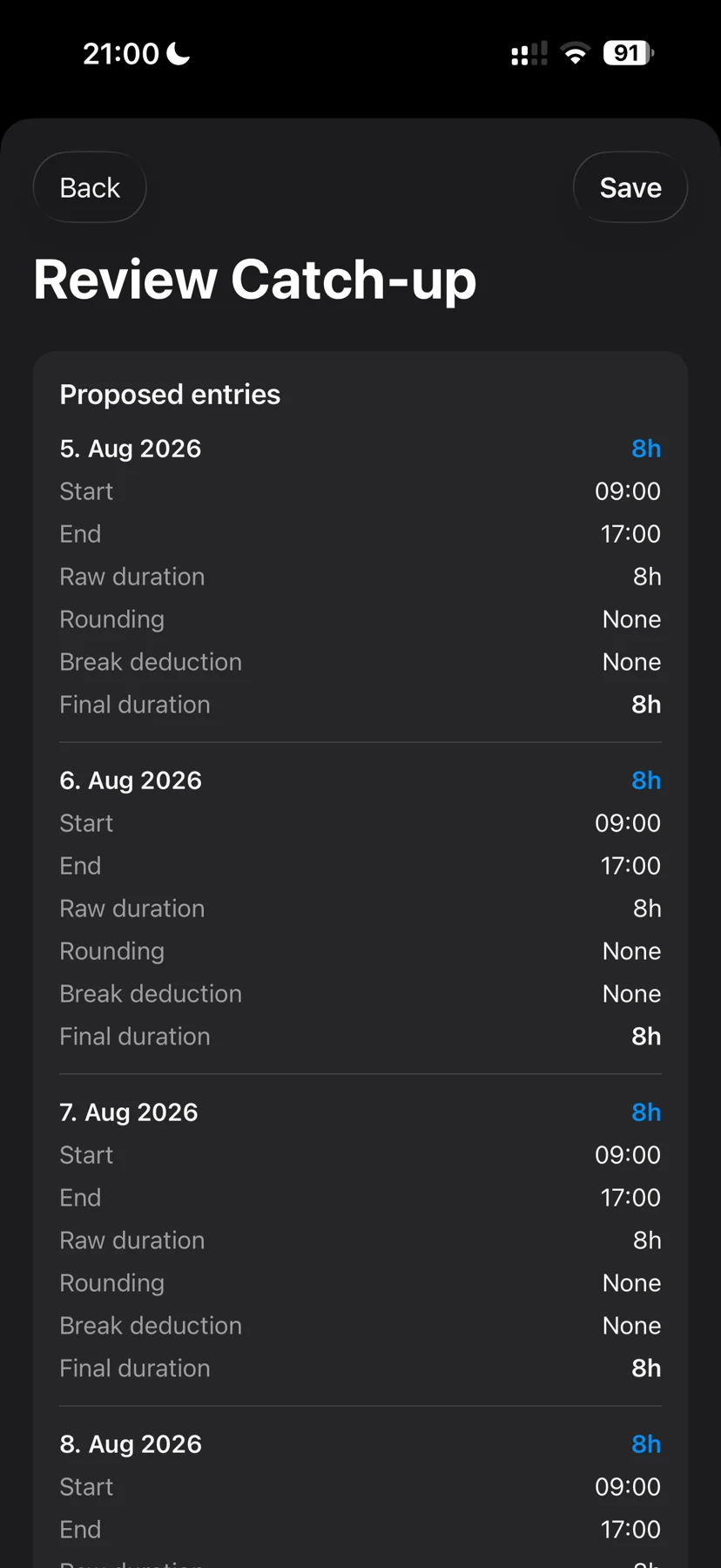
Catch-up Mode builds a preview for selected missing days. Days with existing entries are treated as conflicts, not silently overwritten. Check the dates and work details before confirming the entries.
Keep control of your records
Hourly is local-first and does not require an account. Review the work you save, and keep a separate backup somewhere you can access if your phone is lost. Location features are optional; manual entries, presets and the timer work without them.
Free to download. Monthly, yearly or lifetime access: €3.99/month, €39.99/year or €89.99 once. Eligible subscriptions include a 14-day free trial, one per subscription group. Apple shows the actual localized price and eligibility before purchase. Lifetime does not cancel a separate subscription. Read the purchase terms.
Questions? contact@gethourly.app