Hourly
 Permissions, auto-start and limits
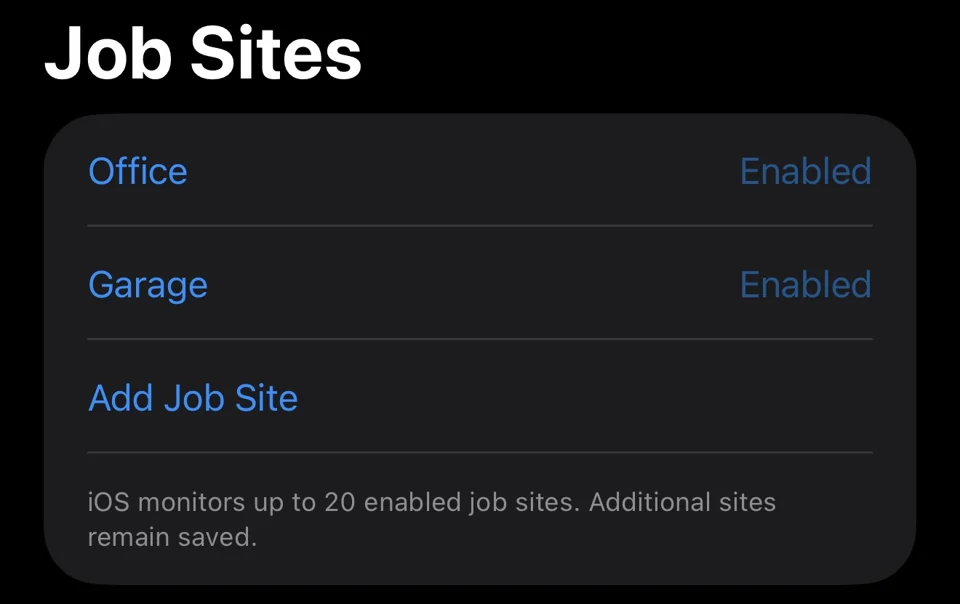
Hourly can monitor multiple named job sites that you enable. Background detection needs optional Always location access. Manual logging, presets and the timer work without location permission or a job site.
An observation is location context, not a work entry or proof of work. Detection is best effort: iOS and device conditions can delay or miss arrival and departure observations. Suggestions require a clear arrival and departure at the same site, and you should review the times before saving a work entry.
Choose arrival and departure actions independently. Arrival offers No action, Notify me or Start Work. Departure offers No action, Notify me or Stop timer for review. Notify me never starts or stops work. Actions need recording consent, the matching arrival or departure recording option, an enabled site and Always location access. Notifications also need notification permission.
Automatic start is opt-in and subject to the active time window and session eligibility. Automatic stop only affects a timer linked to the same unchanged site, and never saves hours without confirmation. For a stop-only workflow, explicitly link the site when starting manual work. Unlinked manual timers keep running.
Detected work stays locally until you handle it. Open Detected Work to review, save or dismiss it. Disabling detection or changing permissions does not erase earlier observations.
The current monitor uses a 200-metre default region, subject to iOS and device limits, and monitors enabled valid sites subject to available region slots. The radius is not a precision guarantee.
Keep control of your records
Hourly is local-first and does not require an account. Review the work you save, and keep a separate backup somewhere you can access if your phone is lost. Location features are optional; manual entries, presets and the timer work without them.
Free to download. Monthly, yearly or lifetime access: €3.99/month, €39.99/year or €89.99 once. Eligible subscriptions include a 14-day free trial, one per subscription group. Apple shows the actual localized price and eligibility before purchase. Lifetime does not cancel a separate subscription. Read the purchase terms.
Questions? contact@gethourly.app